
If you’re a small business owner using Microsoft Outlook, you may already feel the friction—limited integrations, confusing automation, and a system built for corporate teams with full IT departments. It’s like using an Android phone when the rest of your tools are made for iPhone. It works… but not without frustration.
That’s why thousands of small businesses are switch from outlook to gmail. It’s fast, intuitive, built for collaboration, and integrates with the tools real small businesses actually use. Whether you’re planning a switch or starting fresh, this blog will show you exactly why Google Workspace is a better fit—and how SourcePro Consultants can handle the transition for you.
Ready to make the switch without lifting a finger
Book a Free Systems Consultation and let us do it for you.
Why Google Workspace Is Better for Small Businesses
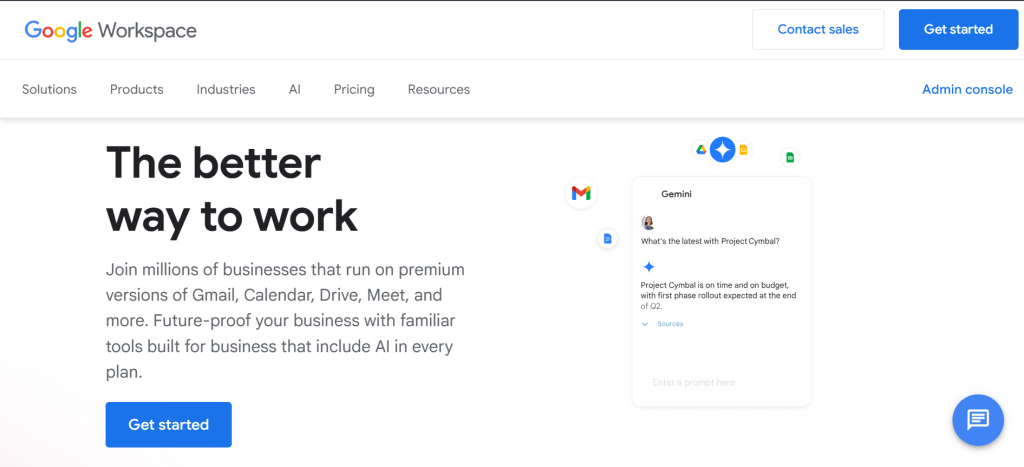
Google Workspace is designed for flexibility, simplicity, and real-world business use—without needing an IT department. It allows you to meet, message, collaborate, and automate across multiple platforms. Unlike Microsoft 365, it just works right out of the box.
Key Benefits:
- Gmail with custom domain email
- Google Drive for cloud file storage and real-time collaboration
- Google Calendar for easy scheduling & team visibility
- Google Meet with video calls (no logins required for guests)
- Google Chat & Spaces for instant messaging and task management
- Docs, Sheets, and Slides for collaborative file editing
- Google Keep & Tasks for note-taking and reminders
- Admin Console for simple, IT-free management of users and permissions
Where Microsoft Outlook Falls Short for Small Business
Microsoft 365 is a robust tool—but it’s designed for large enterprises. It assumes you’re managing internal teams, not clients, freelancers, or outside collaborators. It often requires technical setup, manual workarounds, or complex licensing just to achieve what Google offers natively.
Limitations of Outlook/Microsoft 365:
- Microsoft Teams doesn’t allow guest video meetings easily
- Team chat is limited to people inside your organization
- Email aliases and calendar sharing require backend setup
- Automation tools (like Power Automate) are not user-friendly
- Integrations are often restricted to Microsoft-only platforms
Switch from Outlook to Gmail: A Smart Move for Small Businesses
Automation & Integration: Why Google Is More Powerful
When it comes to automating your workflows, Google Workspace blows Microsoft out of the water for small businesses. Using tools like Zapier, Make, or even native integrations, Google lets you connect with the tools you already use.
With Google Workspace, You Can:
- Automate responses to Google Form submissions
- Sync new calendar bookings to ClickUp or Trello
- Automatically organize file uploads from Gmail to Drive
- Trigger CRM updates or invoice creation from client form entries
Google Workspace integrates with thousands of small business tools—Stripe, Calendly, LawPay, QuickBooks, ClickUp, HubSpot, and more. Microsoft, on the other hand, locks most automation within its own ecosystem (unless you have Azure or SharePoint).
Google is the iPhone of small business platforms. Microsoft is Android. They both work—but one is simply made for the ecosystem you already live in.
Case Study: The Wright Legal Group
The Wright Legal Group, a boutique law firm in Georgia, came to SourcePro Consultants frustrated with Microsoft Teams. They couldn’t invite clients to meetings without complex link workarounds, and their paralegals had trouble sharing files with outside counsel.
We migrated their Outlook inboxes, calendars, and folders into Google Workspace in under 48 hours—while maintaining domain-branded email and security protocols. Now their entire team works from a shared Google Drive, schedules appointments in Google Calendar, and meets clients via Google Meet with one click.
Result? Fewer tech headaches, faster client service, and no IT department required.
“We didn’t realize how much time we were losing until we made the switch.” — Managing Partner, Wright Legal Group
Want to Do It Yourself? Here’s How to Migrate from Outlook to Gmail
If you’re hands-on and want to try migrating manually, here’s what you need to know:
Step-by-Step:
- Sign up for Google Workspace at workspace.google.com
- Export Outlook data: Follow Microsoft’s export guide
- Log in to your Google Admin Console and use the Google Data Migration tool
- Migrate email, calendar, and contacts
- Recreate events, restore file access, and update user settings manually
But Beware:
- You may lose custom filters, rules, or folder structures
- Most integrations and tools need to be rebuilt
- DNS setup and domain verification may require technical steps
Save time and avoid errors—let SPC handle it all for you.
Conclusion: It’s Time to Switch
Microsoft Outlook was built for enterprise. Google Workspace was built for you.
Whether you’re a solo attorney, a fast-moving founder, or a lean startup team—you need tools that make work easier, faster, and more collaborative. With Google Workspace, you get all of that, plus security, automation, and future-proof integrations.